Hook, Line, and Sinker: The Hilarious Tale of Downloading Fish Data in the Wild
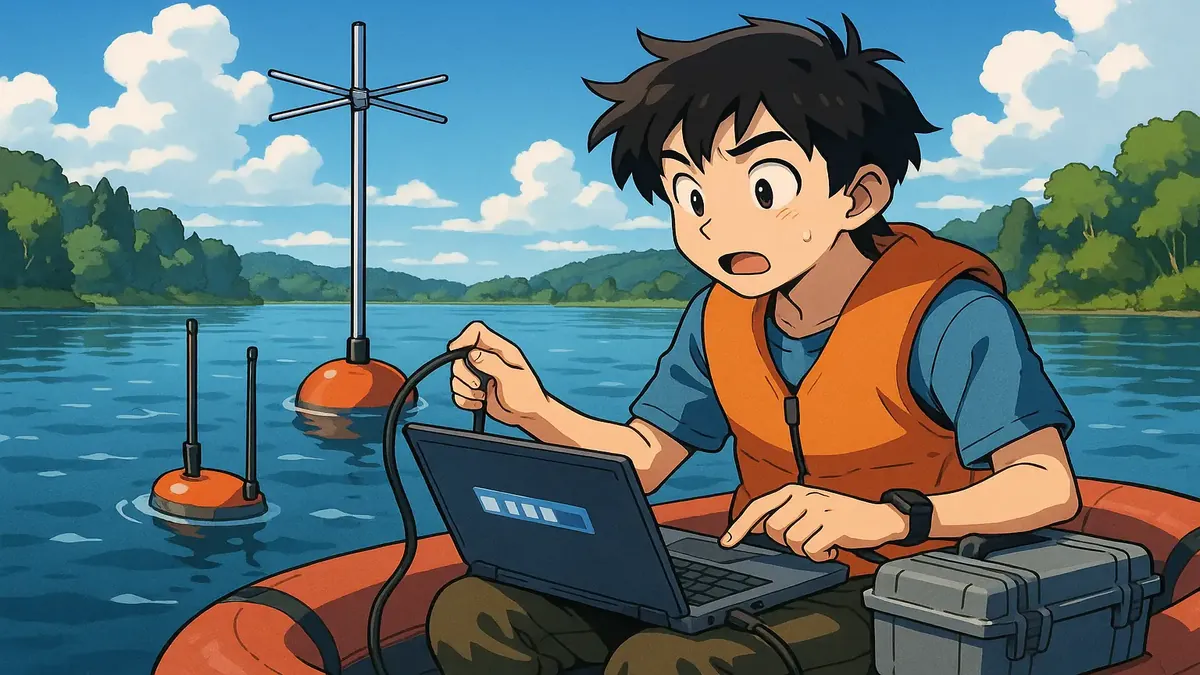
Ever tried to download a year’s worth of data—in the middle of a Swedish lake, on a laptop, in a boat, with a storm threatening overhead? No? Well, you’re about to meet someone who has. This is the story of how a simple misunderstanding turned a routine fish-tracking project into a soggy saga of tech confusion, VPN woes, and one tech hero’s facepalm moment.
Picture this: You’re the unofficial IT wrangler at a small research center, and your colleague—a kind-hearted scientist with a penchant for 200% browser zoom—returns from a day on the water, exhausted and baffled. The reason? Downloading fish movement data from a lakeside antenna took him nearly an hour. Was it a tidal wave of fish activity, or something fishier?
Let’s dive into this slippery situation and see what really happened beneath the surface.
Gone Fishing—With Bluetooth On
At first glance, this story sounds like something out of a Scandinavian Wes Anderson film: senior scientist sets out with boat, laptop, and dogged determination to collect fish data. He braves the elements, hauls antennas aboard, and fires up his trusty laptop to “download” the catch. But what should have been a simple Bluetooth transfer from antenna to laptop dragged on for an hour—per antenna. Multiply that by a dozen antennas, and you’ve got an epic worthy of the Norse sagas (or at least a week’s worth of work).
Luckily, the resident tech support (Reddit user u/yes_oui_si_ja) suspected something was off. With a healthy dose of skepticism and a well-honed “bullshit detector,” he asked the all-important question: “How are you downloading the data?” The answer? “I connect the laptop to the internet on my phone, then the software detects the antenna, and I press download.”
Wait—what?
Turns out, our intrepid scientist was ferrying both data and electrons not just across the lake, but across the internet, courtesy of a VPN and a remote network folder. The “download” wasn’t a download at all—it was an upload to a faraway server, made excruciatingly slow by a shaky mobile hotspot in the middle of nowhere. No wonder he needed a week.
A Classic Case of Tech Lost in Translation
Here’s the twist: The data itself was tiny—1.5MB, about the size of a single high-res photo. The real culprit? The software’s default save location was set to a network server back at the research center. So, instead of saving fish data to the laptop’s local drive, every “download” involved a sluggish, VPN-tunnelled upload to the mothership.
Cue the facepalm.
With a quick settings tweak (save to Desktop, not the network!), the transfer finished in two seconds flat. Problem solved, dignity restored, and a whole lot of time saved. Even better? The manufacturer actually offered a free mobile app to download data directly in the field—no laptop, no boat balancing act, and no more waiting for a dry day.
Lessons from the Lake: Tech Support in the Wild
What can we learn from this tale of watery woe and data mishaps?
- Default Settings Are Sneaky: How many hours have been lost to applications trying to save to network drives, cloud storage, or other places you didn’t intend? Always check where your data is going.
- Ask “Why?” Early and Often: Our tech hero’s skepticism cracked the case. If something feels off—like an hour-long Bluetooth download—don’t be afraid to ask questions.
- User Experience Matters: The scientist’s workflow was clunky, weather-dependent, and confusing. Sometimes, the best tech support is just finding a simpler tool (like that mobile app!).
- We All Get Out of Touch: The author humorously fears the day he’ll be as out of step with technology as his colleague. But tech’s always evolving; today’s Bluetooth is tomorrow’s Betamax.
The Real Catch of the Day
In the end, this isn’t just a story about fish, antennas, and VPNs. It’s about empathy, problem-solving, and the tiny misunderstandings that can turn a day on the lake into an IT odyssey. So next time your download takes an hour, ask yourself: Is it really the fish, or just a sneaky setting?
Have your own tales of tech support in the wild? Share your best (or worst!) stories in the comments below. And remember: Always check your save folder—especially if you’re in a boat, in the rain, in Sweden.
Happy fishing, and tighter tech lines!
Original Reddit Post: In the middle of a lake, downloading data