The Double-Screen Dilemma: A Comedy of Errors in Tech Support
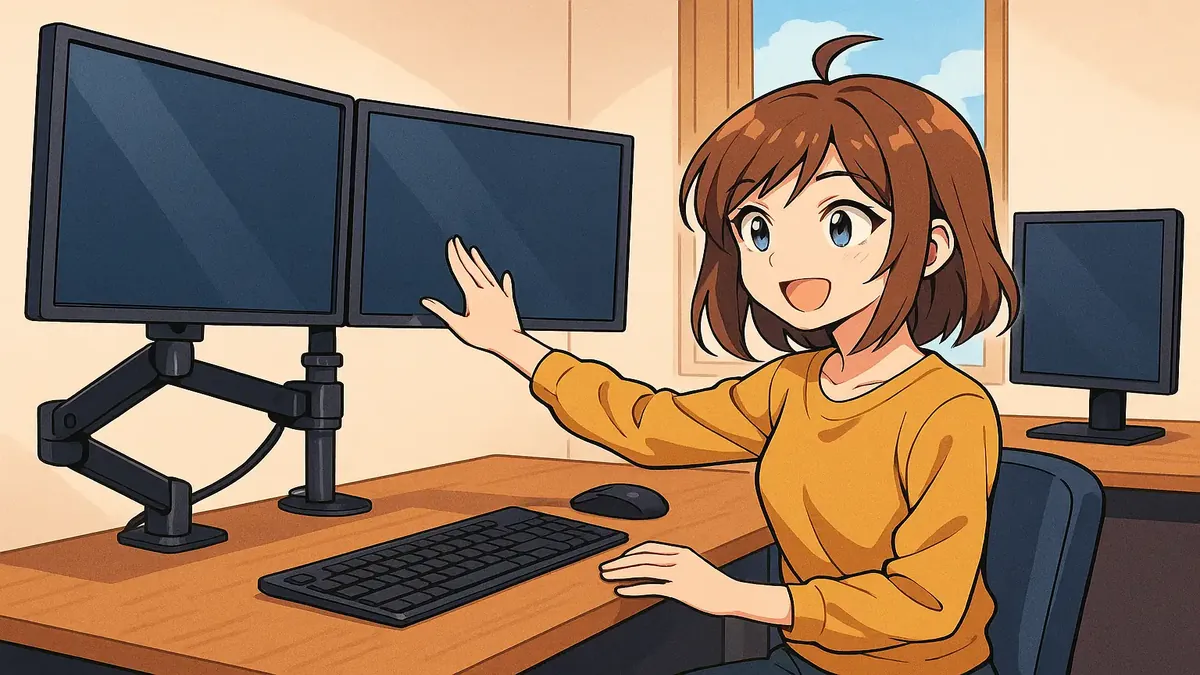
Picture this: You’ve just finished a job to perfection—cables neatly tied, monitors standing proud, workspace transformed. You’re ready to claim your victory snack when a stranger pops in, upends your plans, and sets off a chain reaction of confusion that only a tech support pro could truly appreciate. Welcome to the wild world of managed IT services, where even something as innocent as a monitor upgrade can spiral into an epic saga—a tale of two screens, mistaken identities, and the eternal quest for written confirmation.
The Setup: Two Computers, One Simple (or Not) Request
Our story begins at a managed service provider (MSP), where “Jean,” a client, requests a simple upgrade: add a second monitor to “Computer A.” The tech, let’s call him Sam, provides a quote—one extra screen, a dual monitor arm, and a minimum charge for an on-site visit. Jean happily accepts, a date is set, and Sam heads over to do the job while Jean is out. So far, so good.
But as any seasoned IT pro knows, the real plot twist arrives just as you’re packing up. That’s when a mysterious colleague (let’s call him “Roger”) pokes his head in: “Oh, the second screen is here! But actually, it’s supposed to go on Computer B.”
Cue the record scratch. Sam double-checks the original request—it’s clearly for Computer A. But Roger insists there’s been a change of plans. Jean’s away, and Sam, aiming to be helpful, trusts Roger’s word. He undoes his morning’s work and repeats the whole process for Computer B. It takes longer than quoted, but Sam doesn’t charge extra.
If you feel a sense of foreboding, you’re not alone. As u/Langager90 wryly commented, “As soon as a verbal change from someone not the client was made, I could see exactly where this was going.”
The Unraveling: When Verbal Requests Go Rogue
True to prophecy, Jean returns the next day, confused and more than a little annoyed: “Why does Computer B have the dual screens? The request was for Computer A.” Sam explains that someone (whose name he regrettably didn’t catch) insisted otherwise. Jean’s not satisfied. She demands the setup be fixed—at no charge—since the mix-up wasn’t her fault.
Sam, ever the professional, heads back out and spends another 90 minutes swapping everything back to Computer A. That’s three hours on-site, but only one hour billed. The boss is understandably miffed at the unbillable time, but it’s chalked up to experience.
But the saga’s not over yet. A few days later, Jean emails again—she’s discovered Roger was the one who redirected Sam, and now insists the dual screen should be on Computer B after all. She expects the swap at no cost, since the MSP “knew” about the change.
At this point, the boss channels their inner Judge Judy and responds with two options: - Option 1: We’ll swap the screens for free, but only if you agree to pay for the previous dispute (attached: the detailed email thread). - Option 2: We did the job as written; any new change is a new job, billed accordingly.
Jean chooses the path of least resistance: radio silence. And with that, an important lesson is cemented into the MSP’s workflow—every future request must be in writing, with zero exceptions.
Lessons Learned: The Golden Rule of Tech Support (Get It in Writing!)
If this story sounds familiar to anyone in tech support, you’re not alone. There’s a universal lesson here, as echoed by top commenter u/Dakduif: “You try and be the nice person and go along with someone's suggestion, without having that on paper. Later there is some problem and the situation you created wasn't what was formally requested so now resolving it takes twice as long.”
The wisdom of the r/TalesFromTechSupport crowd is clear: No matter how well-intentioned your clients (or their coworkers), always stick to the written request. If it’s not on the ticket, it doesn’t happen. “If it's not on the quote and I don't get an amendment request in writing from either the person who requested the work or their superior, nothing changes,” says u/ChrisXDXL, capturing the sentiment of techs everywhere.
Some, like u/binaryhextechdude, have mastered the art of polite refusal: “When I get that head pops in and says something has to be changed, I just play dumb and explain I'm only allowed to do what’s on the work order but they are welcome to submit a new work order and we will come back at a later date. I don’t care what they think of me but even if I am wrong I can just point to the paperwork and say well I did what was written.”
And for those who forget this golden rule, the community’s advice is simple: “If you must vary the work, get it in writing first—in blood! (preferably theirs),” jokes u/harrywwc.
GIGO: Garbage In, Garbage Out
The tale is also a classic example of the “GIGO” principle, or “Garbage In, Garbage Out.” As u/nymalous notes, it’s a concept familiar to anyone who’s dealt with user requests, coding, or even fitness. If the initial instructions are flawed, the end result will be too—and no amount of technical wizardry can fix that.
As the original poster u/speddie23 confirmed in the comments, the idea of just swapping the computers themselves was a non-starter—the desks were set up for specific monitor arrangements. Sometimes, the simplest-sounding solution just doesn’t fit the reality on the ground.
Conclusion: Surviving (and Laughing at) Tech Support Snafus
In the end, this “tale of two screens” is more than just a funny Reddit post. It’s a reminder that, in the world of tech support, the little things—like written requests, clear communication, and a healthy sense of humor—make all the difference.
So next time someone pokes their head into your workspace with a “small change,” take a lesson from Sam, Jean, and the chorus of wise techs online: Get it in writing, keep your cool, and remember—every IT disaster is just another story in the making.
Have you survived your own “GIGO” moment? Share your war stories (and triumphs) in the comments below!
Original Reddit Post: A tale of 2 screens