The Mysterious Case of the Cursed Laptops: A Tech Support Tale of Magnets and Mayhem
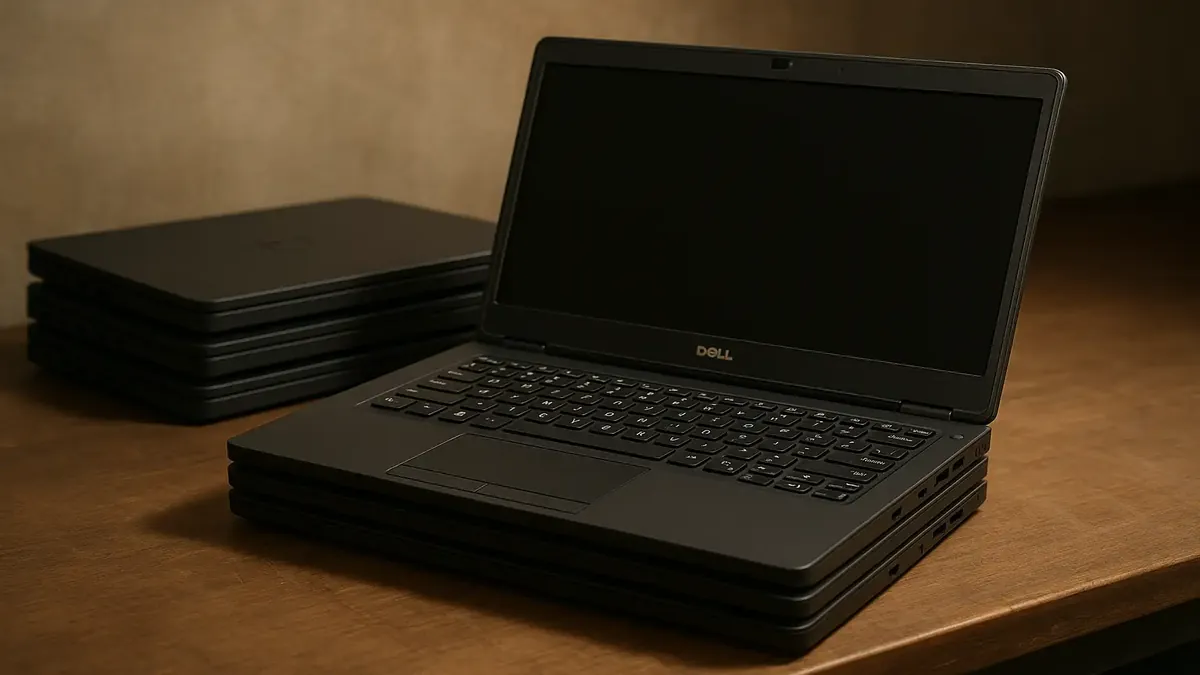
Picture this: It’s a typical morning in the IT department, coffee in hand, and a stack of brand-new Dell Latitude laptops awaiting their transformation from factory fresh to office-ready. You’re in the zone, ready to power through a pile of devices and win the day. But then… the tech gods decide to put on a show.
This is the story of one IT professional’s descent into (and ultimate escape from) laptop madness—a tale as old as time, or at least as old as the modern workbench. What do you do when three laptops in a row all exhibit the exact same, utterly bizarre malfunction? If you’re like Reddit user u/nicsaweiner, you start to wonder if you’ve been cursed by the Office Poltergeist.
When Every Laptop Is Broken… Or So It Seems
Our hero begins with the topmost Dell Latitude, prepping it for a lucky employee. But something’s amiss: the keyboard and mousepad are as responsive as a brick, and the display is doing a convincing impression of a dying lightbulb—flickering in and out with a stubborn rhythm.
“Driver issue,” you think. That trusty old scapegoat. A quick update, a reboot, and… nothing. The laptop is still dead to the touch. Undeterred, you grab the next one from the stack. Surely, this one will cooperate.
Nope. Same ghostly behavior. On to the third. And—yep, you guessed it—déjà vu all over again. Now you’re questioning your luck, your skills, maybe even your life choices. Three lemons in a row? What are the odds?
The Eureka (and Embarrassing) Moment
At this point, our protagonist is ready to swap tech support for a séance. Defeated, they grab a “cursed” laptop, slump back to their desk, and—miracle of miracles—it works perfectly. Keyboard, mousepad, screen, the whole nine yards.
But back at the workbench? The laptop reverts to its haunted ways. In a scene reminiscent of a Neanderthal discovering fire, the laptop is lifted, set down, lifted again—each time, the screen springs to life or plummets into darkness. Cue the dramatic, slow-motion realization:
The problem isn’t the laptops. It’s the stack.
Magnets: The Unsung Villains of IT
As it turns out, stacking laptops isn’t just a space-saving trick—it’s a recipe for chaos. Many modern laptops, including Dells, use magnets in the screen bezel or near the keyboard to trigger sleep mode when the lid is closed. When you stack one laptop on top of another, those magnets can fool the sensors into thinking the lid is closed, causing the keyboard, trackpad, and display to shut down.
It’s like a magic trick, except the punchline is lost productivity and existential dread.
Lessons from the Workbench
So, what can we learn from this comedy of errors? Here are a few takeaways for IT pros (and anyone else who handles laptops):
- Hardware can be sneakier than software. Not every problem can be solved with a driver update or a good old-fashioned reboot.
- Physical setup matters. How you handle, stack, and position devices can cause unexpected behaviors. Magnets, sensors, and other hidden hardware features might be working against you.
- Don’t underestimate Occam’s Razor. Sometimes, the simplest solution—like not stacking laptops directly on top of each other—is the right one.
- A sense of humor is essential in tech support. When all else fails, laugh, learn, and maybe share your story on Reddit.
Cursed No More
The next time your hardware acts haunted, channel your inner detective (or caveman) and investigate your environment. It might just save you hours of troubleshooting—and your sanity.
Have you ever had a “cursed” tech moment that turned out to be something hilariously simple? Share your stories in the comments below, and don’t forget: beware the power of magnets!
Enjoyed this tale of tech support terror? Subscribe for more war stories, troubleshooting tips, and behind-the-scenes looks at the wild world of IT!
Original Reddit Post: I thought I was cursed