When Printers Cry for Help: The Tale of the Shrink-Wrapped Paper Trays
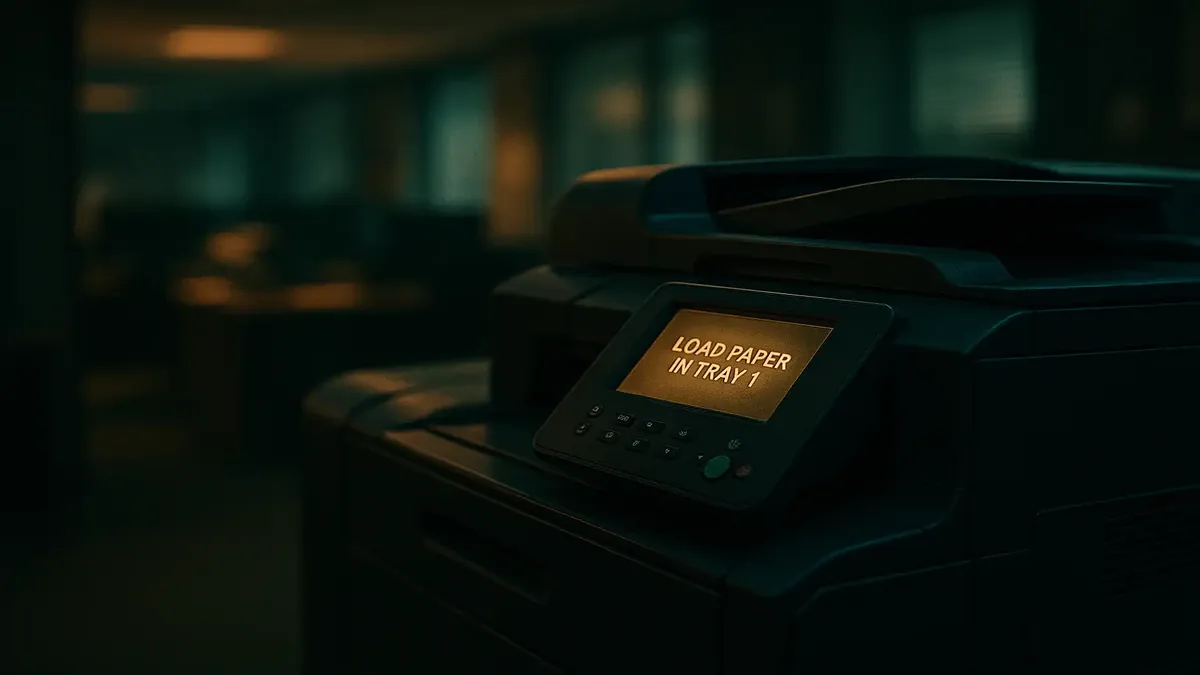
Anyone who’s spent time in an office knows the sound: the clacking, whirring, and increasingly desperate beeps of a printer with a problem. Maybe it’s out of toner. Maybe it’s jammed. Or—plot twist—it’s simply hungry for paper. But what happens when the “paper” is there... just still shrink-wrapped and sitting off to the side, like a boxed lunch nobody bothered to open?
That’s exactly what unfolded in a legendary Reddit post from r/TalesFromTechSupport, where one tech hero is summoned for a mysterious error message, only to discover a case study in Office Space-level printer confusion. Let’s peel back the packaging on this modern workplace parable—and the hilarious, sometimes exasperated, wisdom the Reddit community had to offer.
The Case of the Mysterious Printer Error
Our story begins with a familiar scenario: a user, perplexed by an error message, arrives at the tech support office. The crisis? The main printer is flashing alerts she’s never seen before and, as is tradition, it’s now a capital-E Emergency.
The tech support pro, u/TheLadySlaanesh, dutifully heads to the scene. The printer—a behemoth with four trays—displays an error for each: “Load Paper in Tray 1”, “Load Paper in Tray 2”, “Load Paper in Tray 3”, and “Load Paper in Tray 4.” If you’ve ever worked with office hardware, you know this is the printer’s version of “I’m not angry, just disappointed.”
But the real twist comes when the trays are opened. There, sitting next to where the paper should go, is a full, unopened ream—still in its plastic wrapping. Not just in one tray, but in every single one. Unwrap, load, repeat. Like magic, the printer comes back to life, spitting out the backed-up print jobs and returning to its silent vigil.
The grateful user is astonished: “But someone just put paper in the printer!” Yes, but paper, like snacks, works better unwrapped.
Printer Trays, Paper Traps, and Tech Support Tribulations
What seems like a simple mistake is, to the tech support crowd, a recurring sitcom. The Reddit comments exploded with stories, advice, and a smattering of existential despair.
u/cofclabman, a veteran of the print wars, pointed out the chaos that ensues when trays are misloaded: “I'm sure it was making some hellacious clattering sounds as it tried in vain to lift the paper tray up to the rollers.” Anyone who’s worked near a high-capacity printer knows that sound—a kind of mechanical death rattle that signals a user error is afoot.
Printers, especially the big ones, are surprisingly complex. u/gadget850 and u/Tarlonniel discussed the quirks of large trays, which can handle bigger paper sizes, and how unused space often becomes a storage spot for extra reams. But as u/gadget850 warns, “it will only pull from the roller side.” If you stash the paper in the wrong spot, the printer just sits there, confused and paperless.
And it’s not just about location—it’s about orientation. u/JayMac1915 recalled that “often the only thing needed to ‘fix’ it was to turn the ream over in the tray. But people always look at you like you’re crazy when you tell them the paper was upside down.” Add to that the legend of the paper’s “good side” and you’ve got a recipe for office folklore.
The Eternal Struggle: Training vs. Forgetting
Inevitably, the question arises: shouldn’t we just train users? Shouldn’t a simple onboarding prevent these printer mishaps? The Reddit hive mind had opinions.
u/TheOnesWithin, not in IT but clearly an optimist, asked why not just educate people as you go. The answer came swiftly and with the weariness of experience. “Oh, you sweet summer child,” replied u/King_Lysandus5, echoed by others who have tried, failed, and tried again to make paper-loading stick.
As [OP] u/TheLadySlaanesh put it, “just because they've been shown how to do something, doesn't mean they will.” u/Riajnor chimed in: “In most offices that information would last as long as it takes to travel in one ear and out the other.” It’s not an issue of intelligence—some users, even with advanced degrees, can’t quite master right-clicking, let alone multi-tray paper logistics.
u/maelish described a company that implemented “quick training classes when stupid stuff like this came up.” Everyone had to sign a form verifying their understanding—a form that showed up in annual reviews if mistakes repeated. One sales guy, apparently, had a stack of these forms that could double as a coffee table.
Paper, Pods, and Preventive Measures
Not all the responses were despairing. Some users fight back with labels and warnings. u/Gadgetman_1 described plastering trays with “Do NOT place paper here” and “Do NOT adjust the stops!” labels to reduce “printer fuckery.” For complicated setups—like landscape trays for booklet printing—sometimes only signage and a chosen few “old hands” can keep the chaos at bay.
And then there’s the inevitable comparison to modern convenience: as u/tumbleweed_farm joked, maybe the culprit was “raised on Keurig coffee pods and Tide laundry pods.” In a world where you throw pods in without opening, why not the paper ream?
Conclusion: The Printer Saga Never Ends
In the end, this story isn’t just about paper jams—it’s about the eternal dance between humans and their machines. Printers, for all their supposed simplicity, serve as a reminder that technology always finds new ways to confound us. And as long as offices exist, there will be shrink-wrapped reams, mysterious error messages, and tech support heroes standing by.
So next time your printer cries out for help, remember: check the packaging. And maybe give your local IT person a thank you—because chances are, they’ve already seen it all.
Have you ever faced a hilariously avoidable tech mishap? Or do you have a printer horror story that tops this one? Share your tales in the comments below—because in the war against office tech, we’re all in this together.
Original Reddit Post: I don't know what the error means